# Routes Meta
The route Meta refers to the meta field of each routing rule in vue-router (opens new window), for example:
const router = new VueRouter({
  routes: [
    {
      path: '/foo',
      component: Foo,
      children: [
        {
          path: 'bar',
          component: Bar,
          // a meta field
          meta: { ssr: true }
        }
      ]
    }
  ]
})
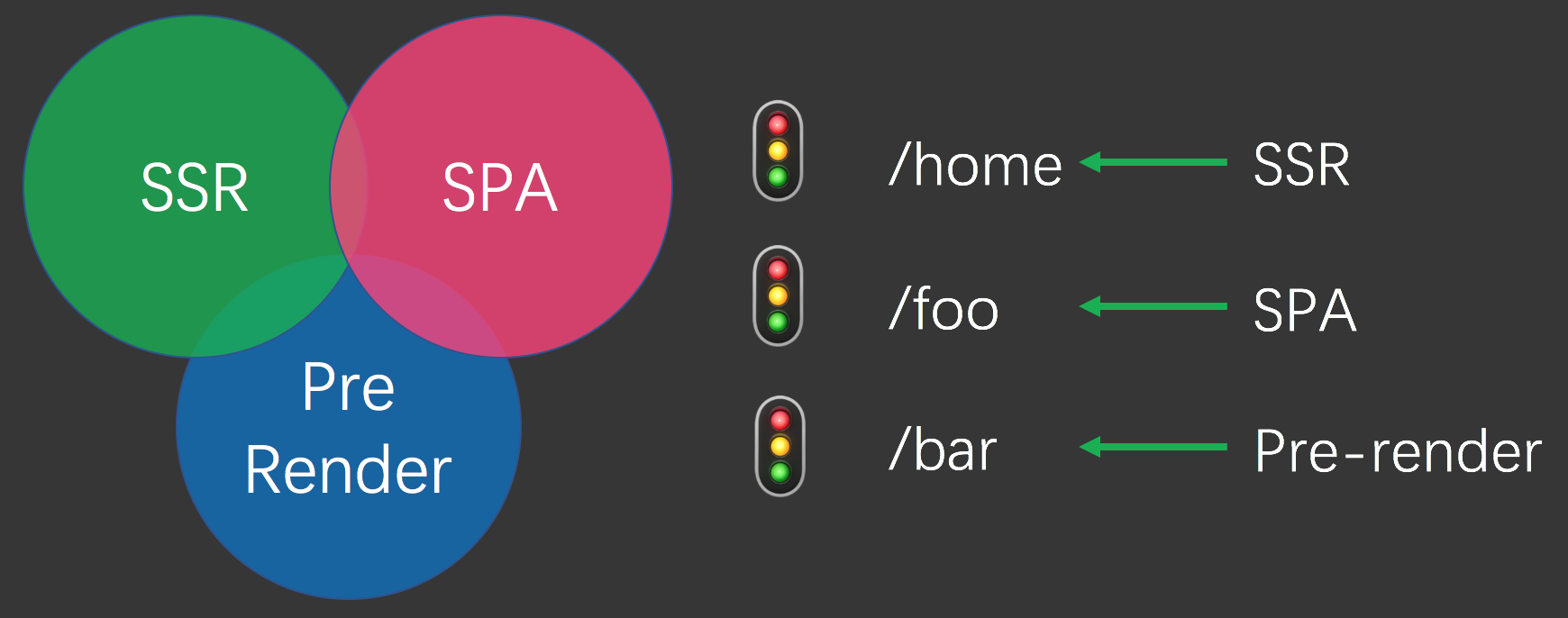
Controlling the application through routing Meta is one of the core features of Vapper, which is why Vapper enables different routes to have different behaviors, which we call "routing level control capabilities":
# Optional SSR
By default, all routing rules (or pages) will apply SSR. However, sometimes we want one or several routes(pages) to adopt SPA mode, and selectively enable or disable SSR according to routing. This can effectively reduce the load on the server. We can achieve this by setting the meta.ssr field of the routing rule to false:
const router = new VueRouter({
  routes: [
    {
      path: '/bar',
      component: Bar,
      // a meta field
      meta: { ssr: false }
    }
  ]
})
So when we access /bar, vapper does not do server-side rendering, but sends the SPA page to the client.
# ssr configuration options
As mentioned above, Vapper will render all routing rules on the server by default. If you want to modify this behavior, you can modify the ssr configuration option in the vapper.config.js file:
// vapper.config.js
module.exports = {
  ssr: false
}
Thus, by default, all routing rules will not do server-side rendering. You can specify the routing rules that need to enable ssr by routing meta:
const router = new VueRouter({
  routes: [
    {
      path: '/bar',
      component: Bar,
      // a meta field
      meta: { ssr: true }
    }
  ]
})
# Use routes meta in a custom Server
Vapper allows you to customize Server, please see: Custom Server. The following is a typical custom Express server code:
// server.js
const express = require('express')
const app = express()
const Vapper = require('@vapper/core')

async function starter () {
  // 1. Create a Vapper instance and Vapper will automatically load the configuration file
  const vapper = new Vapper({ mode: process.env.NODE_ENV || 'production' })

  // 2. Use the default port and host, or from the port and host in the configuration file,
  //    you can also specify port and host manually.
  const {
    options: {
      port,
      host
    }
  } = vapper

  // 3. Waiting for Vapper setup is complete
  await vapper.setup()

  // 4. Handling requests with vapper.handler
  app.get('*', vapper.handler)

  // 5. Listen for requests
  app.listen(port, host, () => vapper.logger.info(`Server running at: http://${host}:${port}`))
}

starter()
Usually you will write some of your own middleware. Inside the middleware, you can get the Meta data of the route corresponding to the current request through the api.getRouteMeta() function, as highlighted below:
// server.js
// Omit...
async function starter () {
  // 1. Create a Vapper instance and Vapper will automatically load the configuration file
  const vapper = new Vapper({ mode: process.env.NODE_ENV || 'production' })

  // 2. Use the default port and host, or from the port and host in the configuration file,
  //    you can also specify port and host manually.
  const {
    options: {
      port,
      host
    }
  } = vapper

  // 3. Waiting for Vapper setup is complete
  await vapper.setup()

  app.use((req, res, next) => {
    const meta = vapper.getRouteMeta(req.url)
  })

  // 4. Handling requests with vapper.handler
  app.get('*', vapper.handler)

  // 5. Listen for requests
  app.listen(port, host, () => vapper.logger.info(`Server running at: http://${host}:${port}`))
}

starter()
This means that the middleware you write will also have "route level control" capabilities.